Table of Contents
Custom Email Sender Addresses
Cyrious Online allows you to use an email address that you control as the Sender email address for approval emails. This can be done for your entire business, or just specific websites.
Business-level Approval Email Addresses
Go to your business settings, and open up the Approval tab.
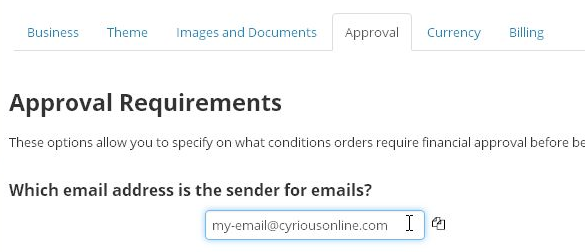
Change the text box to the email address that you want to list as the “Sender” for approval emails. This email address must be one that you control, because you must be able to open an email sent to this address.
You can also use the copy button if you already put in an email address on the Business tab.

After you save, you will receive an email that contains a link to a verification page. Follow this link, and you are done!
Website-level Approval Email Addresses
Go to the website settings, and open up the Approval tab.
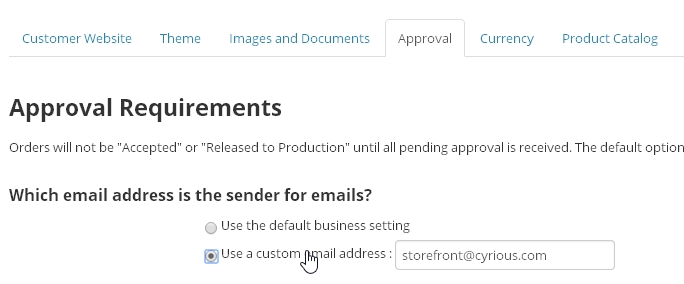
Select “Use a custom email address,” and enter in the email address. Save. After you save, you will receive an email that contains a link to a verification page. Follow this link, and you are done!